
Home / Modules / Presentations
A fair weekly presenter rotation, planned for the whole term
Plan who presents at every weekly meeting, make sure each member gets a turn, and handle swaps and reschedules in a couple of clicks.
Used by: Presentation Coordinator, Vice President, President
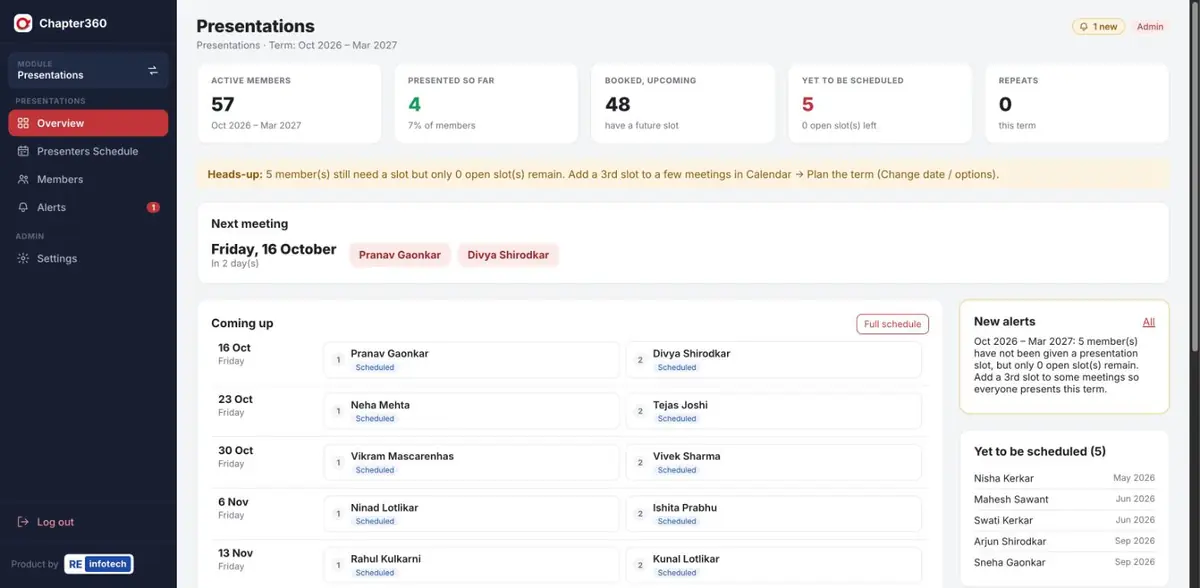
What Presentations does
Two members present every week and each member must present at least once a term. Chapter360 keeps track of that rule for you.
Screenshots use sample data — member names, companies, phone numbers and amounts are illustrative.
How it works
- Members come from the chapter listActive members are picked up automatically, including new joiners.
- Generate the termAuto-generate fills the weekly slots fairly — two presenters per meeting by default, or three when you need extra slots.
- Adjust as life happensReschedule or swap in seconds when someone can't make it.
- It flows into the CalendarPresenters appear in the term Calendar automatically — nothing to copy across.
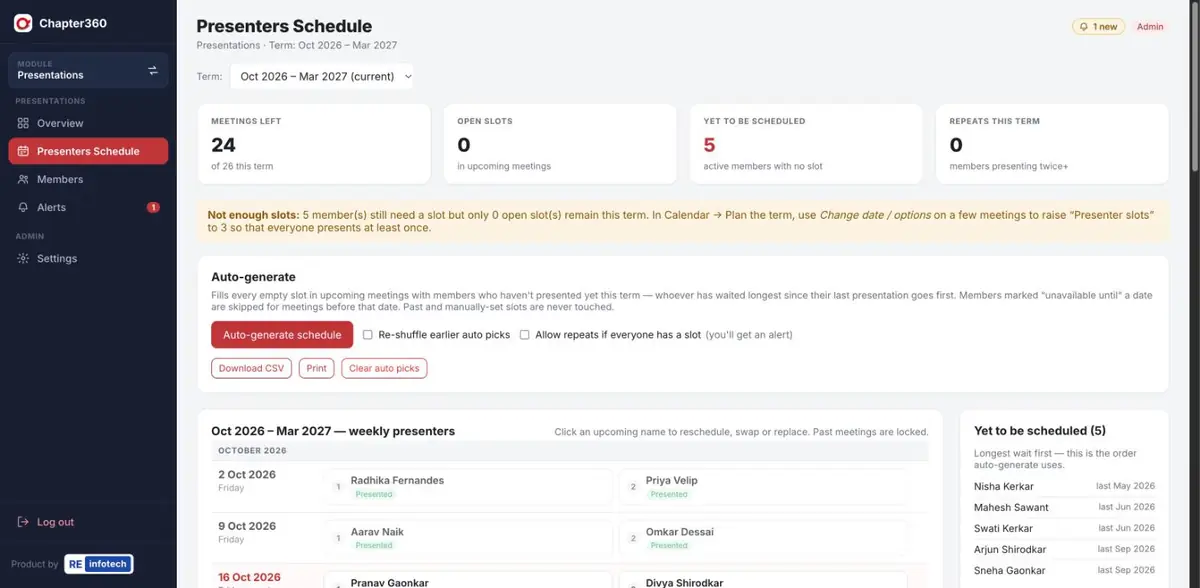
Presentations: common questions
How does Chapter360 decide who presents next?
Auto-generate fills empty slots with members who have not presented yet this term, starting with whoever has waited longest since their last presentation, and skips members marked unavailable.
Can we change the schedule after it is generated?
Yes. Click any upcoming name to reschedule, swap two presenters or replace someone. Past meetings are locked so the history stays accurate.
What if there are more members than presentation slots?
Chapter360 warns you when members still need a slot but too few slots remain, and suggests adding a third presenter slot to some meetings.
See it running for your chapter
Book a free demo with the RE Infotech team.