
Run Power Teams that actually meet
Build Power Teams, appoint captains, move members as the chapter changes, and track that every team meets at least once a month.
Used by: Power Team Coordinator, captains, Vice President
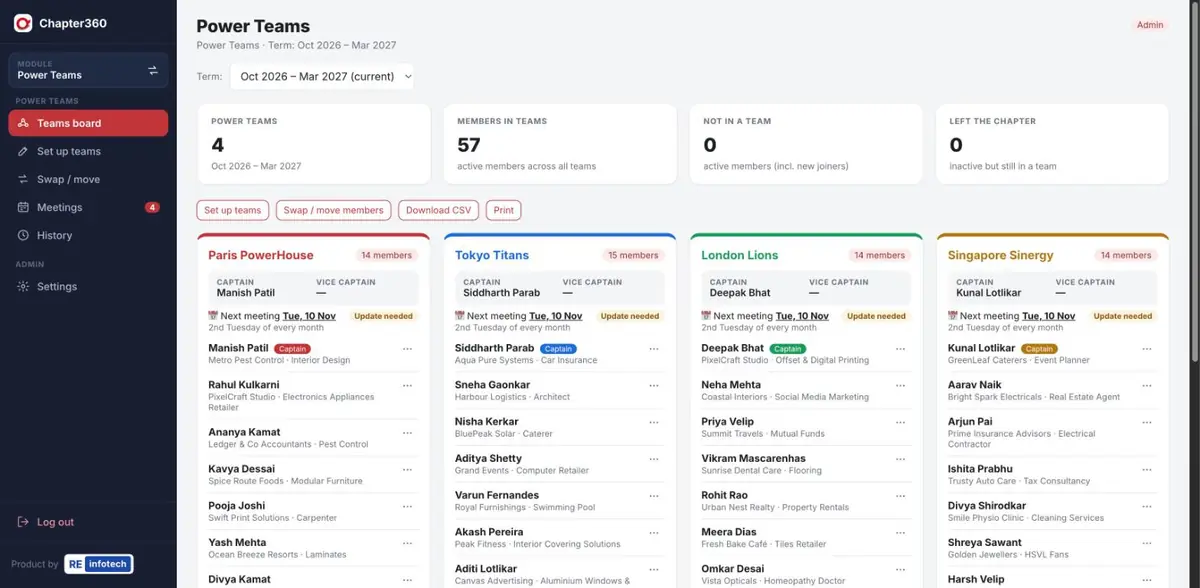
What Power Teams does
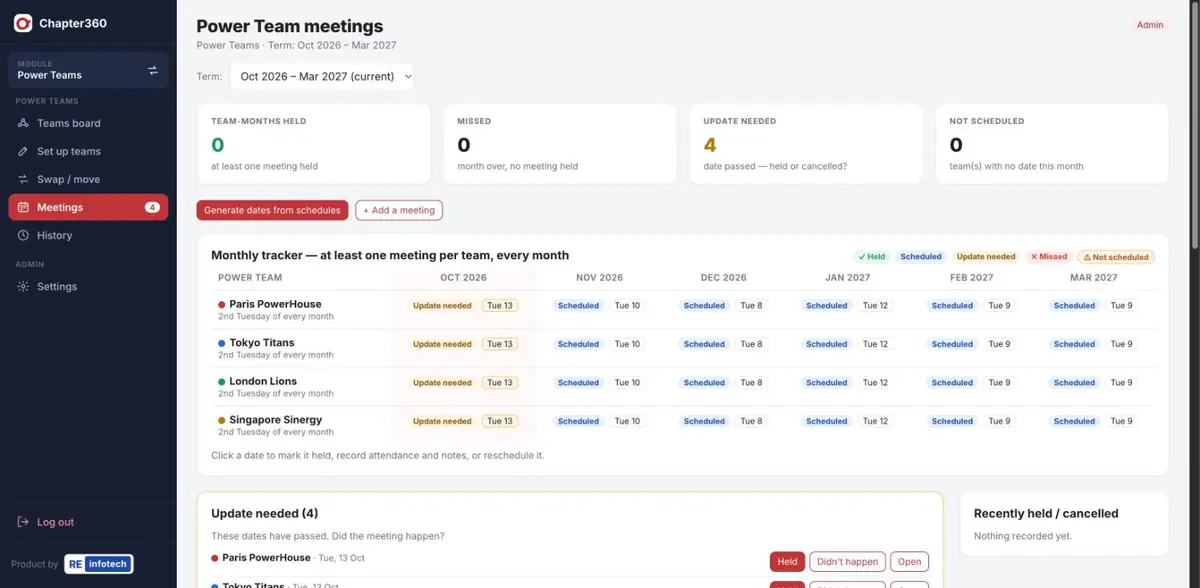
Every Power Team should meet at least once a month. Chapter360 makes it obvious which teams have and which haven't.
Screenshots use sample data — member names, companies, phone numbers and amounts are illustrative.
How it works
- Set up teamsCreate the teams for the term and assign members.
- Schedule meetingsSet each team's rhythm and generate meeting dates for the term.
- Mark what happenedAfter each date, mark it held or cancelled and add notes.
- Keep it currentSwap members as the chapter grows; the board and history stay accurate.
Power Teams: common questions
Can Chapter360 auto-assign members to Power Teams?
Yes. You can assign members by hand or auto-assign them, then swap or move members as the chapter changes.
How are Power Team meetings tracked?
Each team gets a regular schedule, such as the 2nd Tuesday of every month. A monthly tracker shows whether each team’s meeting was held, scheduled, missed or still needs an update.
What happens when a member leaves the chapter?
Inactive members are flagged on the teams board so the coordinator can move or remove them, and the change is kept in the team history.
See it running for your chapter
Book a free demo with the RE Infotech team.