
Chapter accounts without the spreadsheet
Every rupee the chapter collects and spends — member fees, visitor and observer fees, sponsor funds, venue bills and expenses — recorded once and rolled up into a live Receipts & Payments account for the term.
Used by: Secretary Treasurer, President, Leadership Team
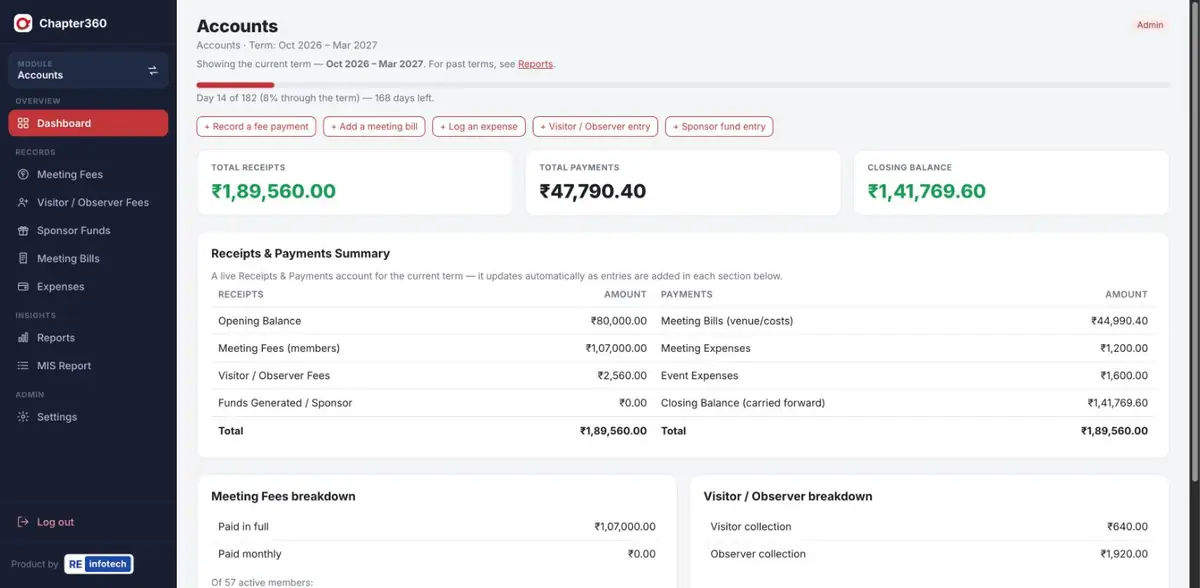
What Accounts does
Built by someone who has done the Secretary Treasurer's job: part-payments, UPI references and month-wise fees are all first-class, not workarounds.
Screenshots use sample data — member names, companies, phone numbers and amounts are illustrative.
How it works
- Set the opening balanceStart the term with the balance carried forward from the previous Leadership Team.
- Record entries as they happenFees, visitor collections, sponsor funds, bills and expenses each have a short form — on a phone, at the meeting.
- Review the live statementThe dashboard and Reports update instantly, so the Treasurer can answer "how much do we have?" at any time.
- Hand over cleanlyAt term end, print the statement and the next team starts with the right opening balance.
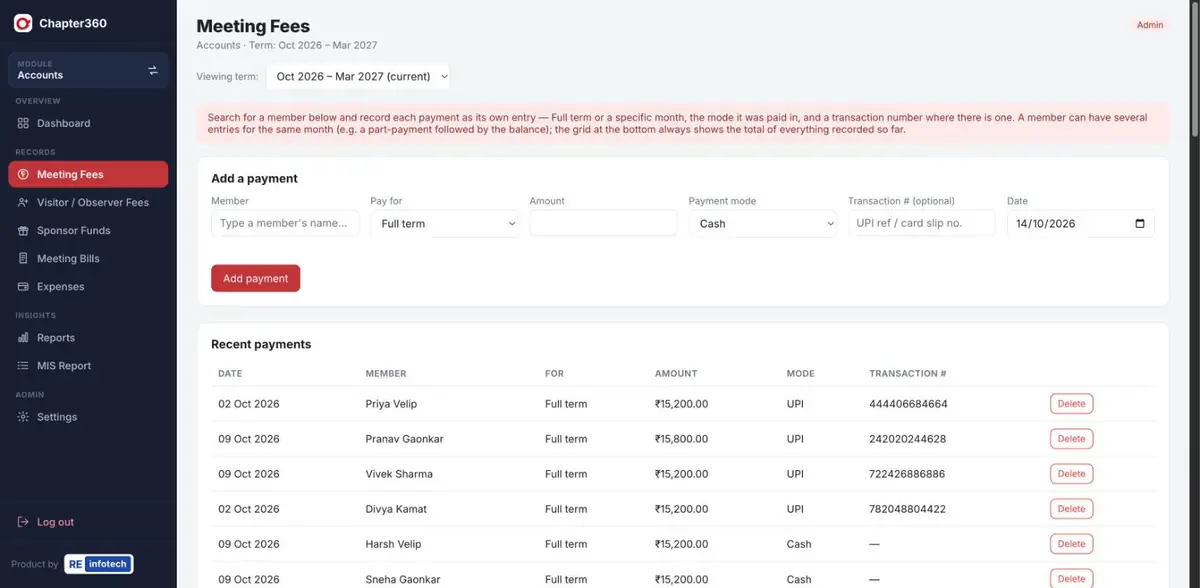
Accounts: common questions
Can Chapter360 handle part-payments and monthly fees?
Yes. Each payment is its own entry — full term or a specific month, the payment mode and an optional transaction number — so part-payments followed by the balance are recorded exactly as they happen.
Does it produce a Receipts & Payments statement?
Yes. Opening balance, every receipt and every payment roll up automatically into a live term statement with a closing balance carried forward, which you can print for the Leadership Team.
Who can see the chapter accounts?
Access is role-based. The Secretary Treasurer can be the editor of Accounts while others get view-only access or none at all.
See it running for your chapter
Book a free demo with the RE Infotech team.