
Home / Modules / Education Slots
Plan every education slot, and keep the topics fresh
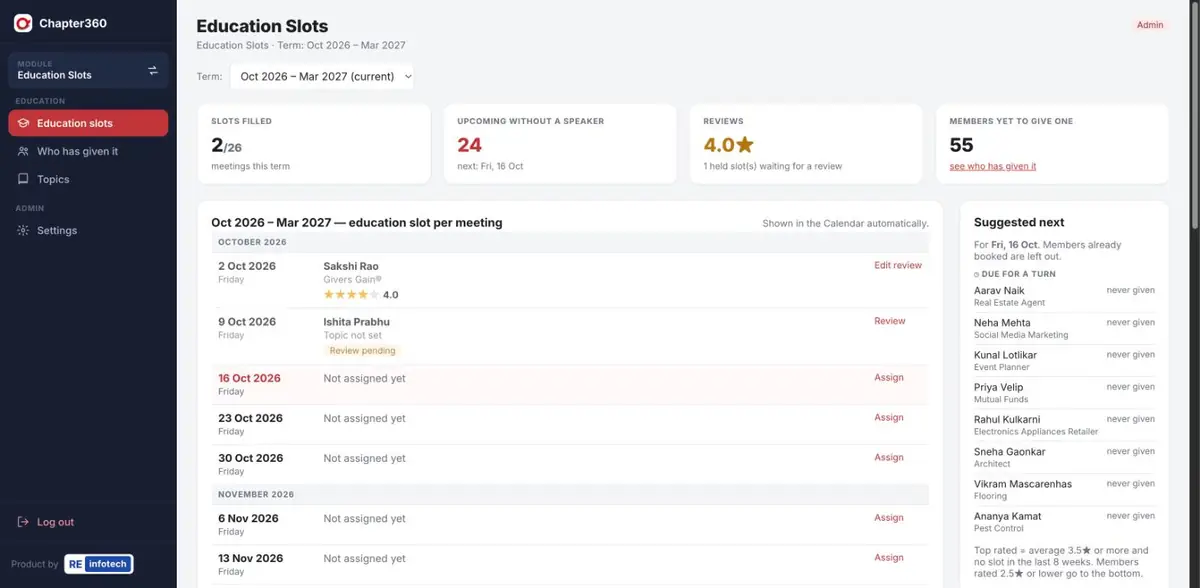
Give the Education Coordinator one place to assign each meeting's education slot, pick from a topic library and collect a quick rating afterwards.
Used by: Education Coordinator, President
What Education Slots does
The Education Coordinator plans the slots; everyone else sees them read-only in the Calendar.
Screenshots use sample data — member names, companies, phone numbers and amounts are illustrative.
How it works
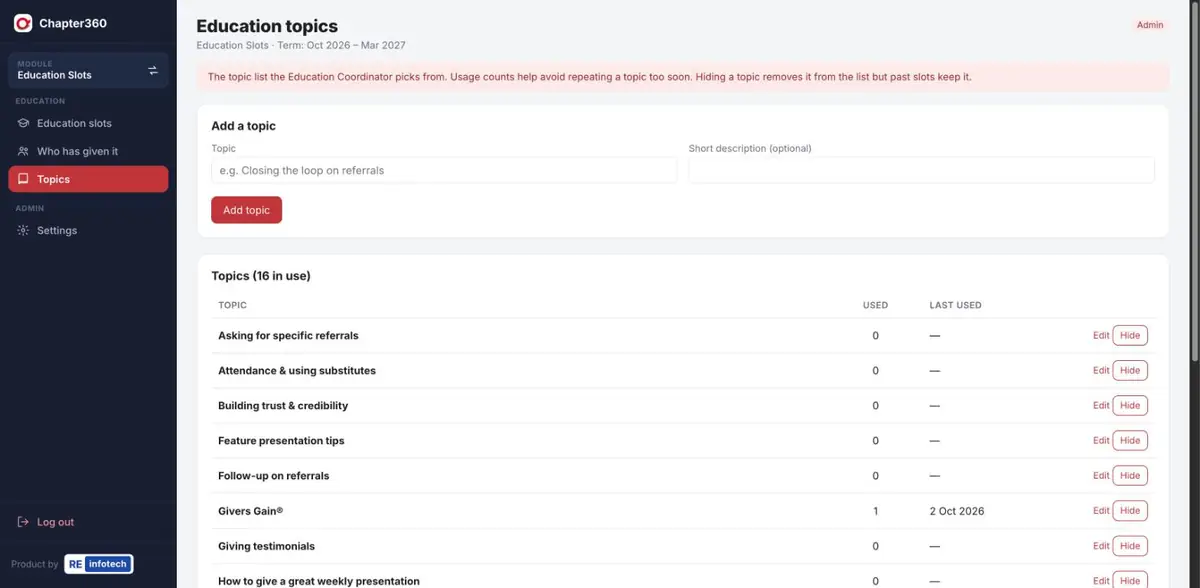
- Build the topic listStart from common topics and add your own.
- Assign the slotPick a speaker and a topic for each meeting.
- Review after the meetingAdd a quick star rating.
- Plan aheadUse the suggestions to spread slots fairly across the chapter.
Education Slots: common questions
Can a regional speaker take an education slot?
Yes. Each meeting’s education slot can be given to a chapter member or to a speaker from the region.
How does Chapter360 avoid repeating topics?
The topic library shows how many times each topic has been used and when it was last used, so the Education Coordinator can keep topics fresh.
Do education slots appear in the calendar?
Yes. Once assigned, the education slot shows automatically in the term Calendar for everyone to see.
See it running for your chapter
Book a free demo with the RE Infotech team.